
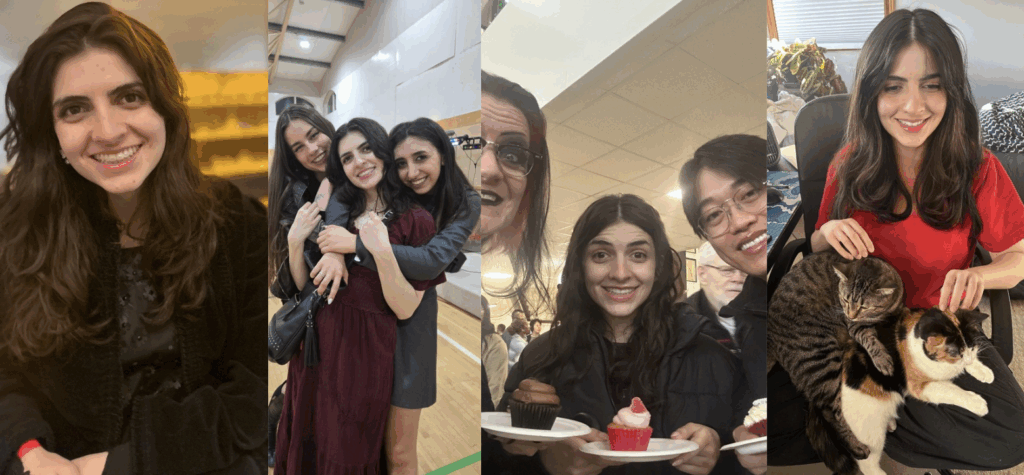
At Sure Systems, we’re proud to highlight the talented individuals who keep our technology running smoothly and our clients supported. This month, we’re shining the spotlight on Lila Thiessen, whose journey into IT is as inspiring as her enthusiasm for continuous learning.
Professional Journey
Before joining Sure Systems, Lila was pursuing her undergraduate degree in Criminal Justice. During her third year, she began questioning where her true passions lay. Although she enjoyed her studies, she realized that working in Information Technology better aligned with her interests and personality.
“I was always fond of computers and enjoyed solving problems in creative ways,” Lila shares. Without prior IT experience, she took a leap of faith and applied for help desk roles—eventually landing an internship as an IT technician at a counselling centre. That internship turned out to be both challenging and rewarding, sparking a lasting appreciation for the IT field and confirming her decision to pursue it as a career.
Role at Sure Systems
As an IT Support Analyst, Lila plays a key role in keeping operations running efficiently. She monitors the service board for incoming tickets, dispatches them appropriately, and ensures all requests are addressed quickly and effectively.
“I handle a wide range of technological issues and environments,” she explains. “As I’ve grown with the company, I’ve also started doing more on-site visits to assist clients directly.”
What She Loves About Her Role
For Lila, the best part of her job is the constant learning:
“Even if I don’t know the answer right away, I get to research, problem-solve, and expand my knowledge every day. Looking back, I can now solve issues I wouldn’t have been able to a year ago.”
Her enthusiasm for growth and improvement makes her an invaluable part of the Sure Systems team.
Early Ambitions
As a child, Lila dreamed of becoming a veterinarian, inspired by her lifelong love for animals. While her path eventually shifted, that same sense of curiosity and care carries into her work today.
Hobbies and Interests
Outside of work, Lila enjoys a balance of creativity and connection with nature. She loves baking, growing houseplants, and hiking—activities that reflect her patient and nurturing personality.
Who Inspires Her
Lila looks up to her grandmother, describing her as “one of the most hard-working, compassionate, and sweetest people I know.”
A Unique Life Experience
One unforgettable memory for Lila was traveling to Germany with friends and singing in a choir at one of the oldest churches in the country—an experience that combined her love for adventure and culture.
Fun Facts
- Favorite Superhero: Thor — “His powers are awe-striking, and I love the movies!”
- Favorite Book: The Shadow of the Wind by Carlos Ruiz Zafón — “It encompasses everything I love about fiction.”
- Favorite Movie: Wicked — “The singing and story almost brought me to tears.”
- Favorite City to Visit: Vancouver — “The ocean views and vibrant city energy always amaze me.”
- Most Bingeworthy Show: Breaking Bad — “I’ve watched it five times through!”
Final Thoughts
Lila’s journey is a testament to the power of curiosity, perseverance, and stepping outside your comfort zone. From studying criminal justice to becoming a skilled IT professional, her story reminds us that it’s never too late to follow your passions.
Thank you, Lila, for your dedication, positivity, and drive to keep learning—Sure Systems is lucky to have you on the team!