
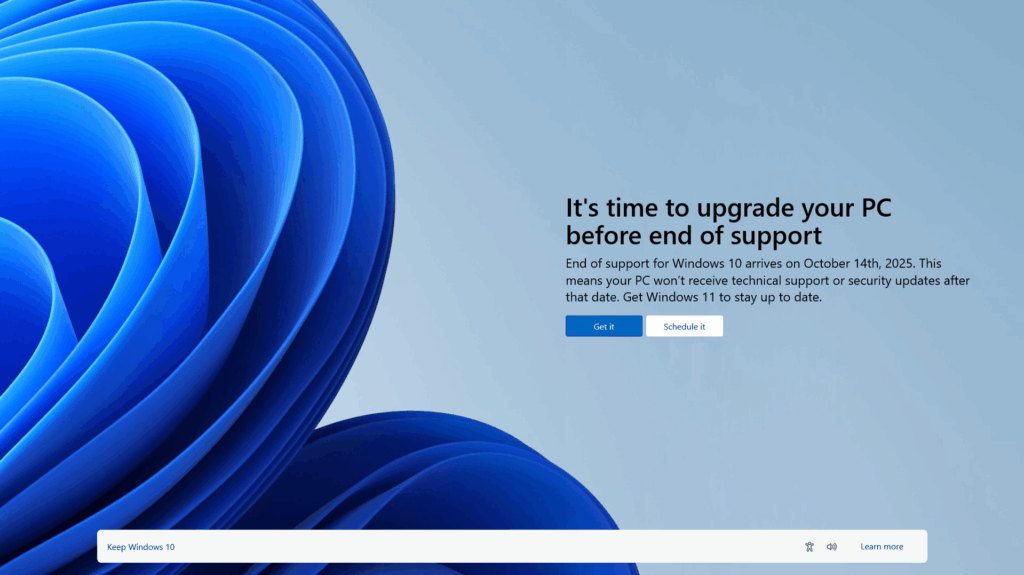
The end of Windows support isn’t coming—it’s already here. The official end of life date is next Tuesday, October 14, 2025.
And if your business hasn’t upgraded, you’re not just behind the curve—you’re in the crosshairs.
An estimated 500 million PCs are still running unsupported versions of Windows, including Windows 10 (certain editions), Windows Server 2012, and even older systems like Windows 7 and 8. History has shown us what happens next: when Windows 7 reached end-of-life, the WannaCry ransomware attack swept across the globe, exploiting unpatched systems and causing billions in damages.
Cybercriminals are lining up to do it again.
What Happens When Windows Support Ends?
When Microsoft ends support for an operating system, it stops providing:
- Security updates: No more patches for newly discovered vulnerabilities.
- Bug fixes: Performance and stability issues go unresolved.
- Technical support: Microsoft won’t help you troubleshoot.
- Compliance risks: Unsupported systems can violate industry regulations.
If you’re still running these systems, you’re operating in the dark—without a safety net.
The Risks of Standing Still
Here’s what you can expect if you haven’t upgraded:
- Increased cyberattacks: Hackers actively scan for outdated systems. Without patches, your endpoints are easy targets.
- Data breaches and ransomware: Just like WannaCry, new malware strains are already being developed to exploit legacy systems.
- Software incompatibility: New apps and updates won’t run on unsupported platforms.
- Compliance violations: HIPAA, PCI-DSS, and other frameworks require supported software.
- Higher IT costs: Maintaining legacy systems often requires expensive workarounds and third-party tools.
Windows 11 Upgrade Path & Benefits
Upgrading to Windows 11 isn’t just about staying current—it’s about stepping into a more secure, efficient, and modern computing experience that’s built for today’s hybrid workforce.
- Modern User Experience
Sleek, intuitive interface designed for productivity and hybrid work environments.
- Enhanced Security
Built-in protections like TPM 2.0, Secure Boot, and virtualization-based security (VBS) help defend against modern threats.
- Seamless Microsoft 365 Integration
Optimized for Teams, OneDrive, and SharePoint—ideal for collaboration and remote work.
- Improved Performance
Faster boot times, better memory management, and support for the latest hardware.
- Advanced Multitasking
Features like Snap Layouts, Snap Groups, and virtual desktops streamline workflow.
- Upgrade Path
- Assess hardware compatibility (TPM 2.0, Secure Boot, CPU requirements).
- Use tools like Windows Update for Business, Windows Autopilot, or Microsoft Endpoint Manager for deployment.
- Sure Systems can assist with readiness assessments, pilot rollouts, and full-scale deployments.
With Windows 10 support ending and security threats on the rise, upgrading to Windows 11 is one of the smartest moves your business can make to stay We don’t just recommend solutions—we implement them, support them, and help you get the most value from your investment.
Don’t Wait for a Breach to Force Your Hand
The threat is real. The time is now.
Complimentary Windows 10 Upgrade Assessment Offer: Includes an assessment identifying all Windows 10 devices and if they are compatible with Windows 11 or need to be replaced and an upgrade plan of action.